
01
Operations dashboard
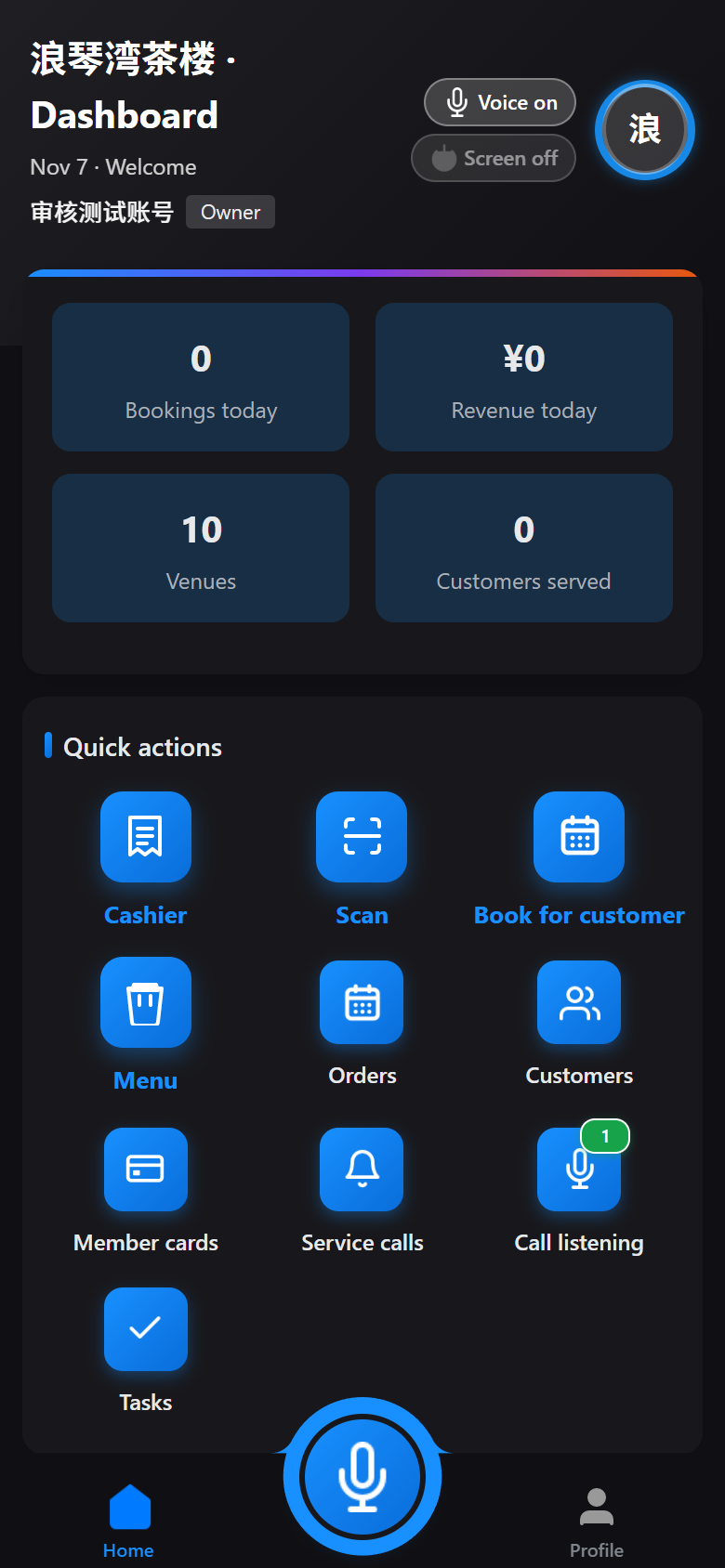
Today's orders, revenue, venue usage and customer count on your phone, so the state of the business is clear at a glance.
NOOKCON MERCHANT · MERCHANT APP
Nookcon Merchant is the console owners and staff carry everywhere: orders, venues, products, customers, staff, service calls and business data, all handled on one phone. When customers scan the code at the door, orders and customer records build up on their own — you are joining more than a system, but a lasting ecosystem of walk-in traffic.
JOIN & START
No complex deployment, and no need to change how you run the store. Send your store details, configure venues, generate the QR code, and you can start taking orders.
Tell us your store type, number of venues and how you operate, and we handle setup and basic configuration.
Set venues, time slots, prices and products, and generate store and venue QR codes.
Customers scan to walk in, and orders, customers and accounts start building up in the merchant app.
MERCHANT APP
From opening in the morning to reconciling at night, the moves owners and staff make most happen on the same phone.
Today's orders, revenue, venue usage and customer count on your phone, so the state of the business is clear at a glance.
New orders alert in real time. Open sessions, extend time, add to tabs and check out in the app, so the front desk stays steady when it gets busy.
Venues, time slots, prices and product listings can be adjusted anytime, with changes live immediately.
Customer profiles build automatically, with membership cards, visit passes, stored-value cards and points to make repeat business measurable.
Customers call with one tap; the merchant app alerts you and reads it aloud, so no request is missed when you are busy.
Ask about operations, change settings or trigger actions in one sentence, with voice input and context correction.
ONE CORE, THREE SCREENS
The merchant app runs operations, the customer app handles arrival, and desktop covers the front desk; data and rules stay consistent.
Merchant app · Mobile
The operations console owners and staff carry with them: handle orders, check data and answer customer calls.
Customer app · WeChat Mini Program / App
Where customers find stores, book venues, review orders, redeem points and call for service.
Desktop · Windows
A desktop register and operations desk for large front-desk screens, made for long shifts.
INSIDE THE MERCHANT APP
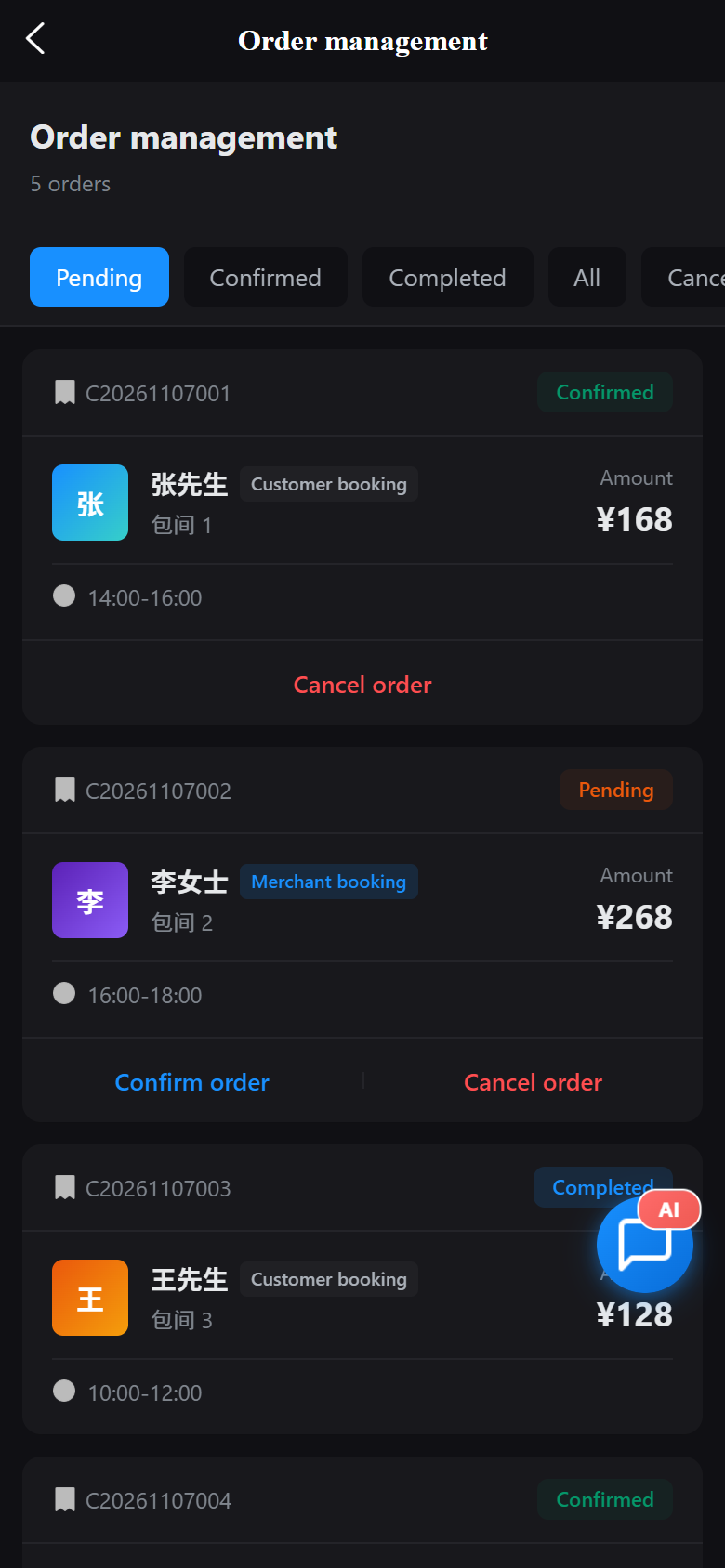
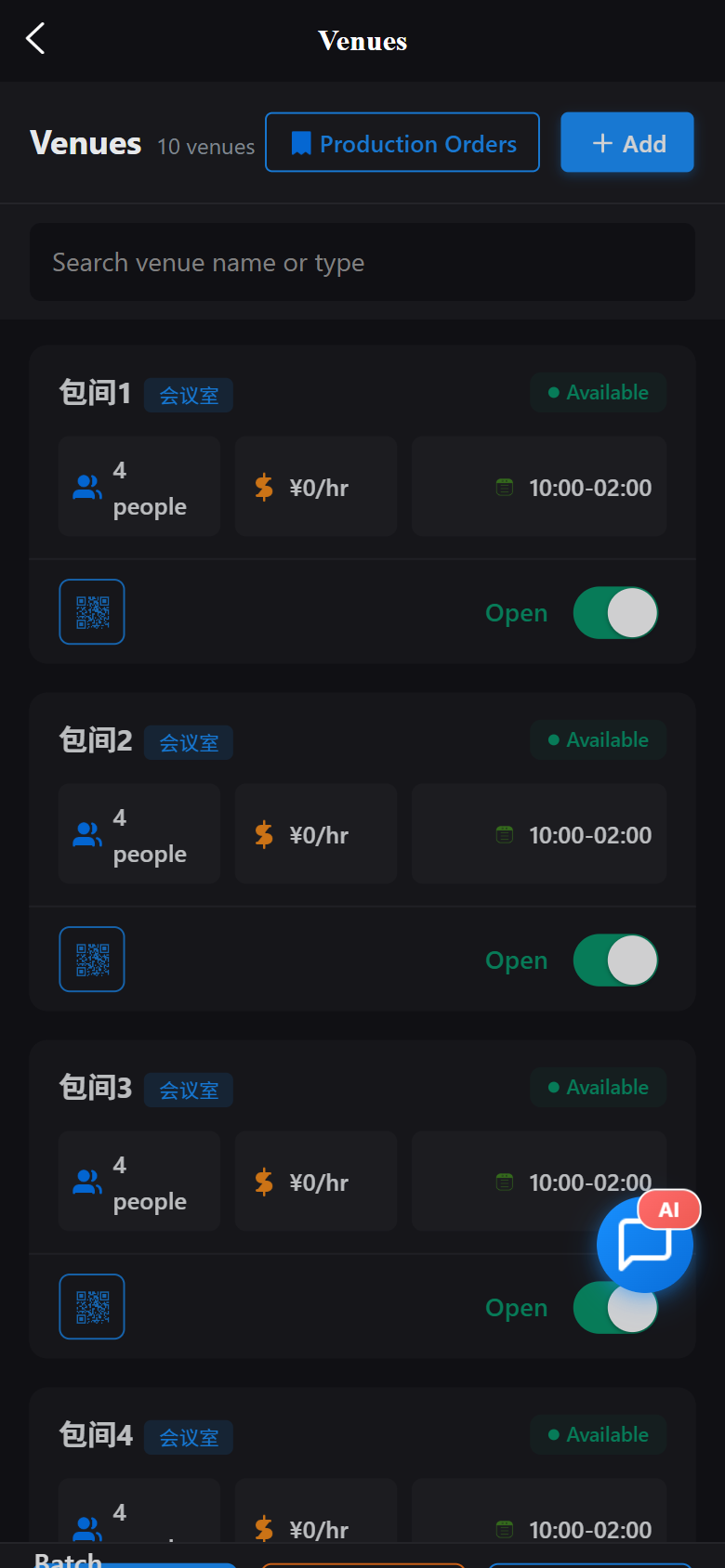
Business data, orders, venues, products and customer records are all on your phone; the customer app and desktop fill in the rest.
GROWTH ECOSYSTEM
Store traffic does not come from one campaign; it comes from every visit, every scan and every repeat purchase. Nookcon links these touchpoints into a lasting operations ecosystem.
One code per store brings customers straight to you. Every visit becomes an online entry point you can identify and keep.
Customers can browse and search stores in Nookcon Customer, or just ask the AI in plain language, so people looking for a store find yours more easily.
Customer profiles, membership cards, visit passes and points turn a single visit into a long-term relationship.
Referral rewards, member benefits and points redemption give regulars a reason to come back — and to bring a friend.
Traffic is not a one-off campaign; it continues after every visit.
AI ASSISTANT
The AI assistant in the merchant app does more than answer questions. It understands store operations, and can open sessions, extend time, change prices and look things up right in the conversation.
Open court 3 for two hours. Add two bottles of water to this order. Talking is operating.
Today's sales, venue usage, customer spending — just ask in plain language.
Voice input with context correction, so busy hands can stay hands-free.
Open court 3 for two hours
Court 3 is open and due to end at 21:30.
How much have we taken today?
You have closed 12 orders today, with venue usage at 68%. Want the details?
INDUSTRIES
Built on the merchant app core of venues, orders, products and customers, combined into the right flow for each store type.
WHY NOOKCON
A system should not weigh a store down. We keep the complex parts in the background and leave what is handy to the people at the front desk.
Scan and start using it. Front desk shortcuts and the table view follow real routes, so staff do not need long training.
Orders, accounts, customers and staff actions are all logged, with daily closings and reports ready anytime.
From one store to many, staff permissions, subscription plans and marketing tools switch on as you need them.
JOIN NOOKCON
Send us your store details to set up the merchant app. Once configured, we generate your store QR code so you can start taking orders.