
MERCHANT APP FIRST

The merchant app: your store in your pocket.

Start with the merchant app — the console owners and staff use every day. The seven groups below cover the full path from store configuration and order handling to customer operations and analytics.

See solutions
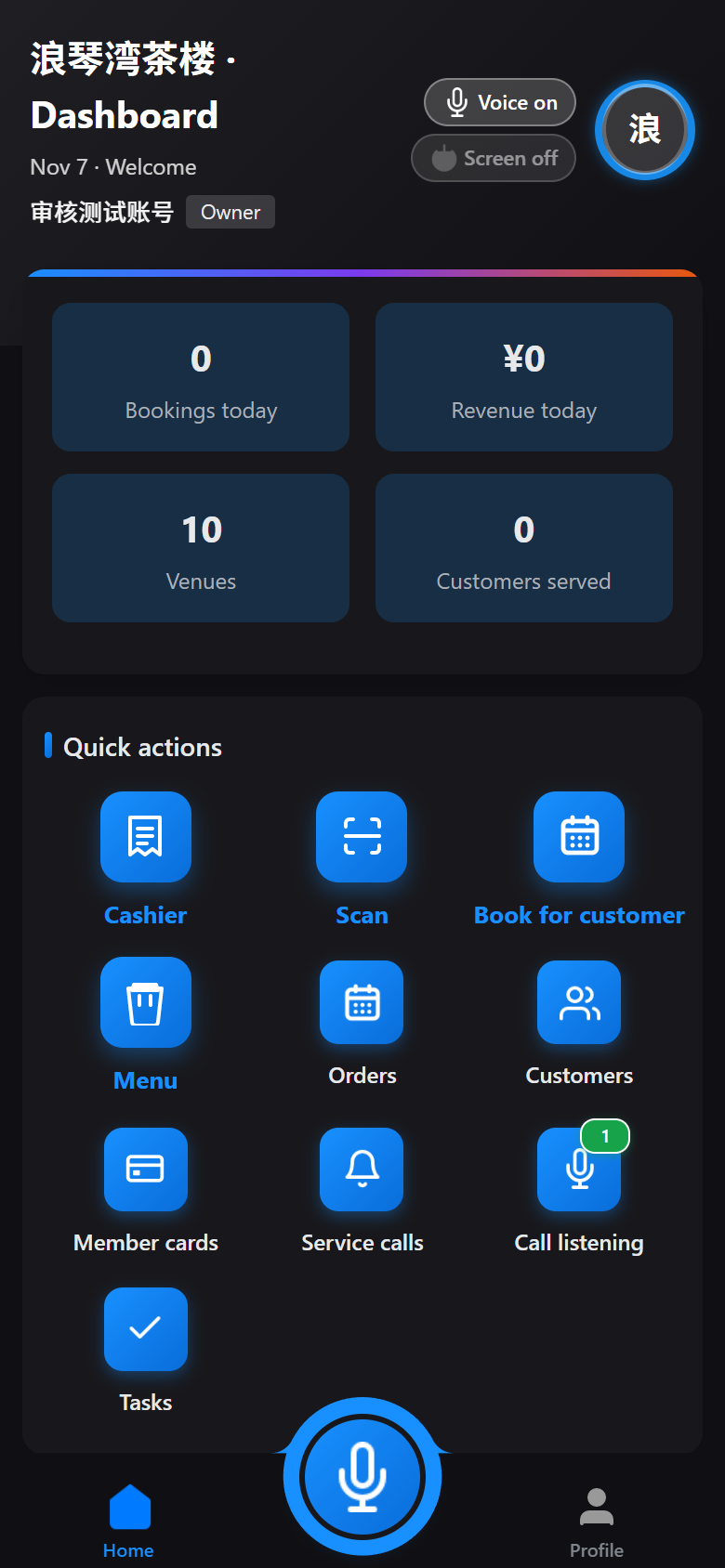
Nookcon Merchant operations screen

CORE PRODUCT

Run a whole day of business from one phone.

The merchant app is not an add-on to a back office; it is the core of Nookcon. Owners can handle orders, check operations, adjust venues and products, and answer customer calls and requests — in the store or on the move.

  • Operations dashboard: orders, revenue, usage and customers on one screen
  • Order handling: real-time alerts, open sessions, extend time, tabs and checkout
  • Venues and products: adjust time slots, prices and listings anytime
  • Customers and staff: customer profiles, membership cards and staff permissions
01

Store and venues

Configuring venues, time slots and prices clearly is the first step to digitizing a store.

  • Add, edit, enable or disable venues, and generate QR codes
  • Hourly or full-session billing, with multiple slots selectable
  • Time slot templates and overtime billing rules
  • Venue types, business hours and display details
02

Orders and front desk

From the customer order to opening a session, adding to a tab and checking out, it all follows one line.

  • Table view shows occupied, reserved and overtime states
  • Full keyboard control: F10 booking, F11 tab, F12 checkout
  • Scan to identify and review line items order by order
  • Confirm, cancel and complete orders, and settle overtime on full-session bookings
03

Members and customers

Every visit becomes a customer asset you can work with.

  • Customer profiles created automatically, with traceable spending history
  • Manage membership cards, visit passes and stored-value cards
  • Membership cards redeem by QR code — scan to apply
  • Points check-in, order rewards and a points store
04

Staff and permissions

Owners, admins and staff each know their role, and sensitive actions are traceable.

  • Three roles: owner, admin and staff
  • Custom permissions per employee, down to every entry point
  • Operation logs and deletion audit
  • Visible scope assigned by role in multi-store setups
05

Outreach and service

Customer calls and store responses happen within seconds.

  • One-tap call from customers, real-time alerts in the app
  • A live message channel, with polling fallback on disconnect
  • Voice announcements, so no order slips when busy
  • System notifications and offline push
06

AI assistant

It can look up, change and execute, turning system actions into a plain sentence.

  • Conversational queries on operations and business details
  • Open sessions, extend time and change prices in the chat
  • Voice input and context correction
  • Separate assistants for the merchant and customer apps
07

Data and reports

Open it and see how business is going today.

  • Today's orders, revenue, venue usage and customer count
  • Booking and revenue trend charts
  • Multi-dimensional reports and data export
  • Data scope shown by role

Need a more detailed feature list? We can walk through it item by item for your store type in a demo.

JOIN NOOKCON

Your store,
in your pocket.

Send us your store details to set up the merchant app. Once configured, we generate your store QR code so you can start taking orders.

See merchant app features