
DOWNLOAD

Download the Nookcon apps

Both the merchant app and the marketing app offer Android builds. Scan the code with your phone to download, or click the button on a computer and transfer the file to your phone.

Owner · Manager · Staff

Nookcon Merchant

Orders, venues, products, customers, staff and business data, all handled on one phone.

Version
v1.0.154
Size
22.7 MB
System
Android 8.0 or later
Download APK
  • Installing over the current version keeps local data, with no need to uninstall first
  • The first install needs permission to install apps from unknown sources
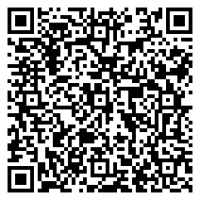
Nookcon Merchant download QR code

Scan with your phone to download the installer

Android · No page redirect after scanning
Authorized promotion staff

Nookcon Marketing

Merchant development, customer follow-up and earnings stats — a mobile console for the promotion team.

Version
v1.0.15
Size
19.1 MB
System
Android 8.0 or later
Download APK
  • An internal promotion tool; sign in with an approved promotion account
  • To get a promotion account, please contact our operations team
Nookcon Marketing download QR code

Scan with your phone to download the installer

Android · No page redirect after scanning

INSTALLATION

Three steps to install.

Android builds are available now; iOS and HarmonyOS versions will open as app store reviews progress.

01

Download the installer

Scan the code with your phone or tap Download APK. If the system warns about unknown sources, allow it in settings and continue.

02

Install over the old version to upgrade

If an older version is installed, install over it directly; local data and sign-in state are kept, with no need to uninstall first.

03

Sign in and use

The merchant app needs store setup first, and the marketing app needs an approved promotion account. Contact us if you run into issues.

JOIN NOOKCON

Your store,
in your pocket.

Send us your store details to set up the merchant app. Once configured, we generate your store QR code so you can start taking orders.

See merchant app features